4 Creating Content
The question I get asked most about social media is “what should I post?” Everyone has a different style and what works for you will be different from what works for me, but here’s a starter guide.
4.1 The Basic Principle
Post things that are useful, interesting, or engaging to people in your field. That’s it. Everything else is details. You have expertise. You do not need to be the world’s leading authority on a topic to have something worth sharing. If you know something that others in your network might find useful, share it.
4.2 Time investment
I also want to recognise upfront that building a social media following that is actually useful takes time. My network and reach is now large enough that I think the time I spend on social media gives more than it takes - I get invites for talks, papers, collaborations, and it does spread my work. This took years.
I’ve spoken to colleagues who logged on, posted the link to their paper, and then decried it as useless because it didn’t go viral. That’s not how it works, it takes a sustained presence. You don’t have to do this. If you want to network by going to conferences and other more traditional routes, go for your life but they also take effort so don’t expect anything less from social media.
4.3 What Works
4.3.1 Scheduling posts
Unlike Twitter’s chronological feed, LinkedIn’s algorithm prioritises content based on relevance and engagement rather than when it was posted. This means that when you post matters less than it did on Twitter, but it still matters.
According to Hootsuite (2024), mid-week posting (Tuesday to Thursday) tends to get higher engagement, with morning hours (7:00-9:00 AM) and lunch periods (12:00-1:00 PM) performing best. These are aggregate patterns though, and your own network might behave differently. For academics, consider institutional rhythms. Posts during term time typically get more engagement than those during holidays, and posting in the early afternoon UK time often catches both European afternoon and North American morning activity.
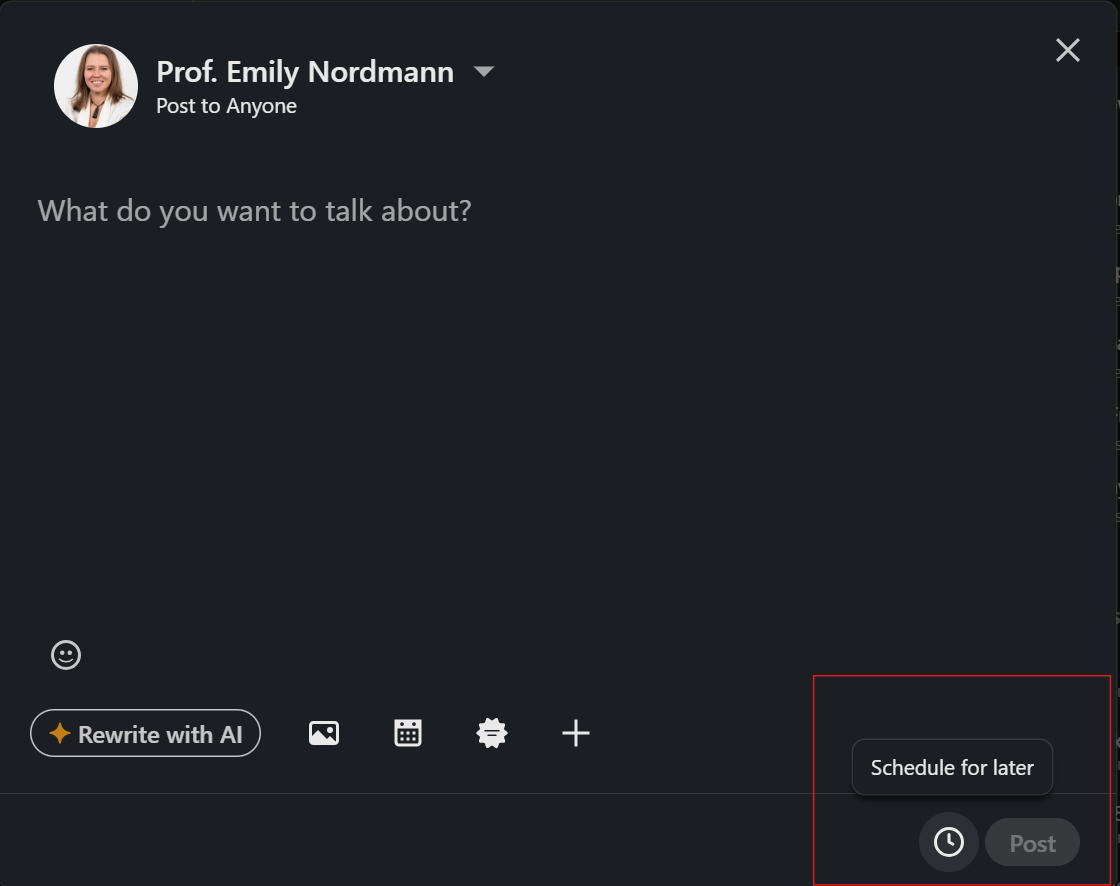
You can schedule posts using the clock icon when creating a post, which lets you write something when you have the time and publish it when people are actually online.
4.3.2 Sharing your own work
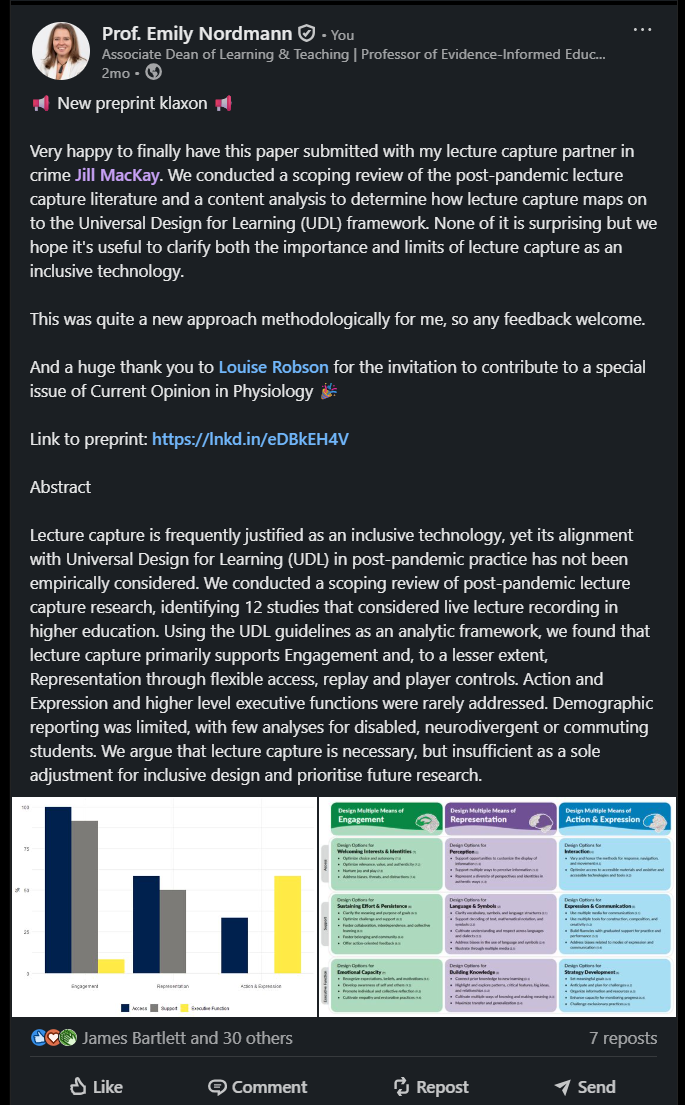
Share papers, preprints, and resources you have created. When you do:
- Explain what the paper is about in plain language
- Highlight why it matters and who should care
- Include a key finding or takeaway
- Link to an open access version if possible
- Tag co-authors who are on LinkedIn
- All posts benefit from images so e.g., take a screenshot of the abstract or a graph from the paper.
Here is an example:
4.3.3 Sharing others’ work
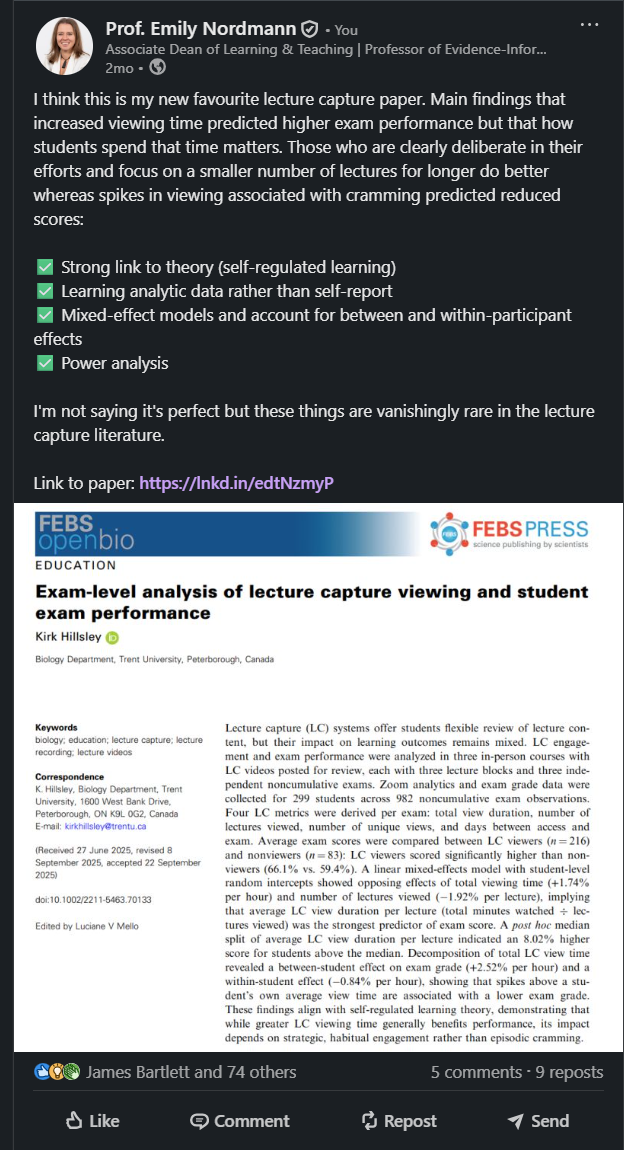
You do not have to create everything you share. Sharing papers and resources from others with your own commentary added is just as good.
Add your perspective. Say why it is worth reading and what you took from it. This does more than share a link; it explains what makes the paper worth reading and shows that you know your field. It is entirely possible to build a following by being a person who shares a lot of stuff people find interesting and have none of it be your own work.
4.3.4 Reflecting on experience
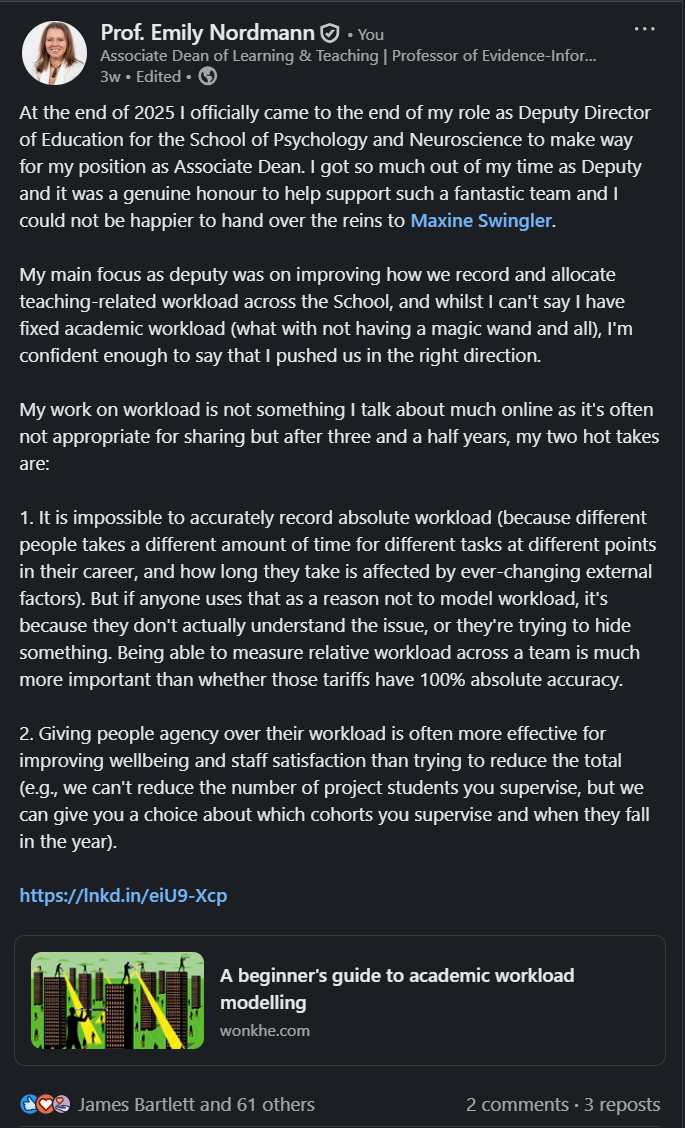
Posts that share genuine experience tend to do well. What you have learned, what challenged you, what you wish you had known earlier. This works because it gives people specific insights from real experience rather than generic advice.
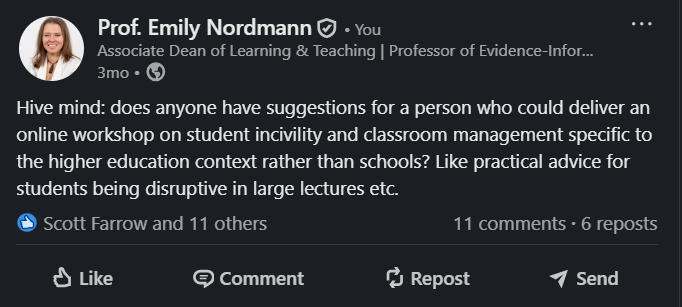
4.3.5 Asking questions
Asking questions gets people talking and can also be a genuinely useful way of getting information. Remember that specific questions get specific answers and vague questions (“Any tips for teaching?”) get vague answers.
4.3.6 Images
Include images when you can. They make posts more visually distinctive in the feed and people are more likely to stop scrolling. Even a screenshot of an abstract or a figure from a paper is better than plain text.
If you give a talk, take a photo of the room or your slides. If you are at a conference, document it. If you are reading something interesting, photograph the book. These do not need to be professional quality. They just need to break up the text and give people something to look at.
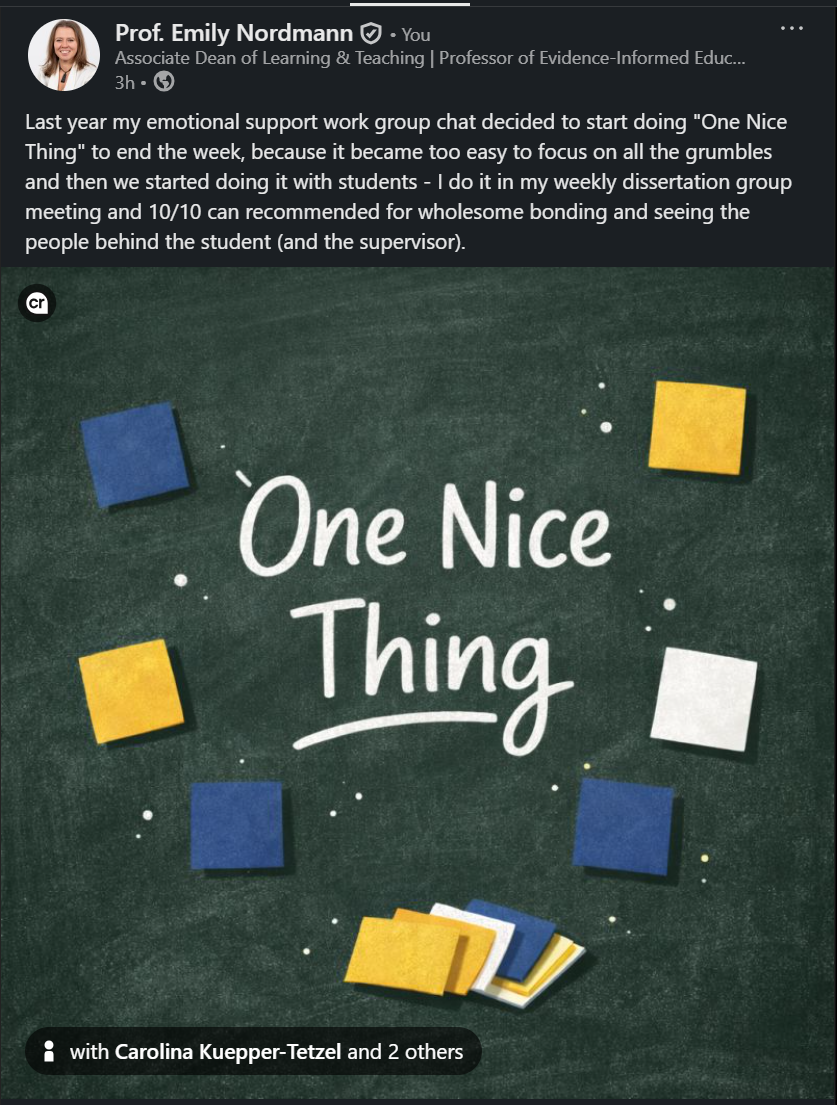
4.3.7 Document posts (carousels)
Document posts, commonly called carousels, are currently the highest-engagement format on LinkedIn, averaging around 6.6% engagement compared to under 2% for standard text posts. You create them by uploading a PDF (or PowerPoint or Word file) and LinkedIn renders each page as a swipeable card in the feed.
The reason they work is that they require active participation. People have to swipe through them, which increases dwell time and tells the algorithm the content is worth showing to more people. They are also visually distinctive in a feed full of text posts.
For academics, carousels are genuinely useful. You can take key findings from a paper and put each one on a slide. You can summarise a conference talk in 8-10 cards. You can create a visual explainer of a method or concept. You can share a set of tips for students or colleagues. If you already make slides for talks, you have most of the raw material.
The recommended dimensions are 1080 x 1350 pixels (portrait) or 1080 x 1080 (square). Keep them to 5-10 pages. Make text large enough to read on a phone. You do not need fancy design software; a simple set of PowerPoint slides exported as a PDF works fine.
4.3.8 Video
LinkedIn launched a dedicated short-form vertical video feed in 2024, similar to TikTok or Instagram Reels, and it has become increasingly central to the platform. LinkedIn’s own data suggests video generates approximately 5x more engagement than text posts.
I am going to be honest: I do not post much video myself, and I know many academics find the idea uncomfortable. But it is worth at least considering, because short clips (30-90 seconds) of you explaining a finding, demonstrating a teaching approach, or giving your take on a current issue can be very effective. You do not need professional production. A phone, reasonable lighting, and something interesting to say is enough.
Practical tips if you want to try it:
- Shoot vertical (portrait orientation) for the video feed
- Keep it short: 30-90 seconds for discovery, up to 5 minutes for more detailed content
- Always add subtitles. Most people watch LinkedIn video without sound, and subtitles significantly improve completion rates
- A clip from a talk or conference presentation is an easy way to start without filming something from scratch
- You can post a video alongside a text post, which gives people both options
If video is not for you, that is fine. You can build a perfectly effective LinkedIn presence without it. But the algorithm does favour it, so it is worth knowing about.
4.4 What Does Not Work
Pure self-promotion without value. “Excited to announce my paper was accepted for publication!” with no link to the paper. Give your audience something useful (the paper to read).
Generic inspirational content. LinkedIn is full of this already. Unless you have something distinctive to say, skip the motivational posts.
Engagement bait. “Like if you agree!” or “Comment YES for more content!” This is annoying and increasingly penalised by the algorithm (see Chapter 2).
Excessive posting. A couple of posts a week is sustainable long-term; once a day is fine if you have the content, but more than that and you risk becoming noise.
Controversial takes for the sake of engagement. Hot takes can work if you genuinely believe them and can defend them. Manufactured controversy is transparent and tiresome.
4.5 Being Mindful About What You Share
Not everything should be posted.
4.5.1 Confidential and sensitive information
Some things are confidential. Internal discussions, strategic decisions, personnel matters, anything covered by agreements or policies. Do not share these, even vaguely or anonymously.
Be particularly careful about students. Even positive stories can be problematic. “I had a student who…” posts can be identifying, even when you think they are not. Students read LinkedIn. Your colleagues read LinkedIn. What feels like a heartwarming anecdote might feel like an invasion of privacy to the person involved.
Before posting anything about students, ask: would I be comfortable if they saw this? Would I be comfortable if their parents saw this? If the answer is no, do not post it.
4.5.2 Institutional sensitivities
Your institution can see what you post and these days your institution almost certainly has a social media policy you should be aware of. Before sharing strong opinions about policies, decisions, or directions, consider whether it could create problems, either by violating policy or just by coming across to your colleagues as someone they don’t really want to work with. This does not mean you cannot be critical and fReEdOm Of SpEeCh still exists. It means being strategic about what you say publicly versus what you say in other contexts.
4.5.3 Personal content
How much personal content to share is your choice. Some people keep LinkedIn strictly professional where others share personal updates, hobbies, and life events. I have always had a proportion of my posts be more personal. I share about climbing mountains and my wife and sometimes just stuff I find funny. I try to keep this to less than a third of my overall content so it’s still firmly professional but I think there is a benefit to showing some personality, particularly in the age of generic AI slop.
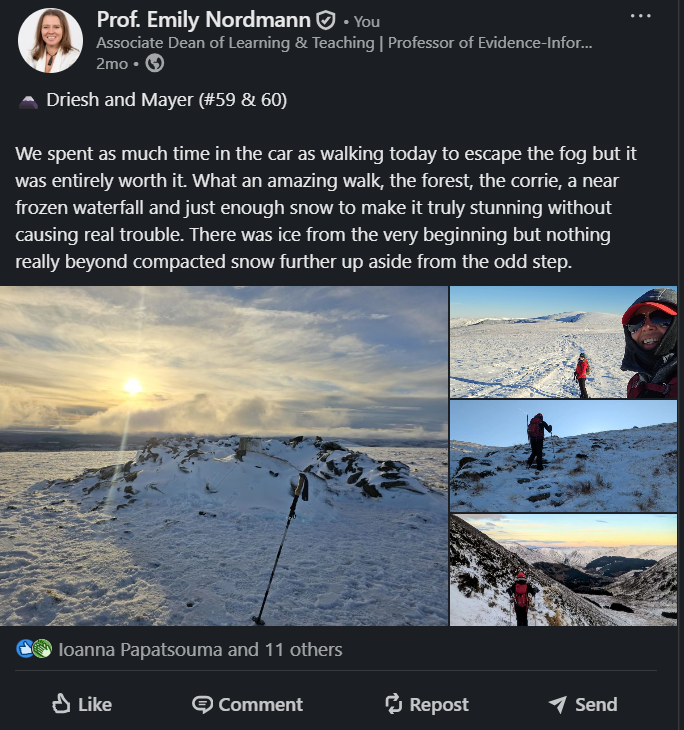
However, there is no right answer and it doesn’t come without risk so think about what you are comfortable with being permanently public and what you are willing for the world to know about you. LinkedIn posts are searchable and current and future employers, collaborators, and students may see them. Share what you are genuinely comfortable with and don’t worry what other people are doing.
4.6 A Note on AI-Generated Content
LinkedIn is saturated with AI-generated content. Generic posts, obvious ChatGPT copy-pasta, comments that say nothing. It is awful, but if you have even an inkling of a personality, this is actually good news for you because it means human voices stand out.
LinkedIn’s algorithm now actively detects AI-generated content and deprioritises it. So beyond sounding generic, AI-written posts will also reach fewer people. Do not use AI to write your posts. The point of LinkedIn is building genuine connections, and you cannot do that with content that could have been written by anyone. People connect with people, not with smoothly polished content that says nothing.
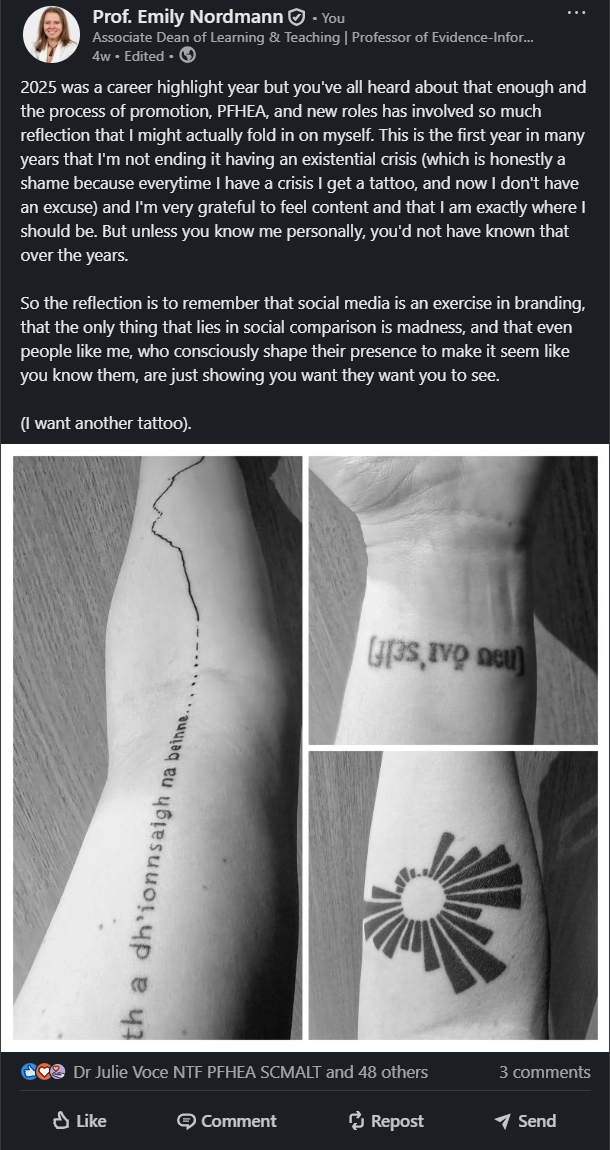
Is the above post slightly unhinged? Yes. But it’s very clearly an unhinged human.
AI may be able to help with checking grammar and brainstorming ideas (that you then write yourself), but as with everything, the distinction is whether AI is supporting your thinking or replacing it.
Be yourself, even if it is messy. Rough but genuine beats smooth but generic.
(I do fully appreciate the double-standard in saying this in a book I have used AI to help write)